ChatGPT vs Gemini vs Copilot vs Claude vs DeepSeek on Mobile - Full Comparison
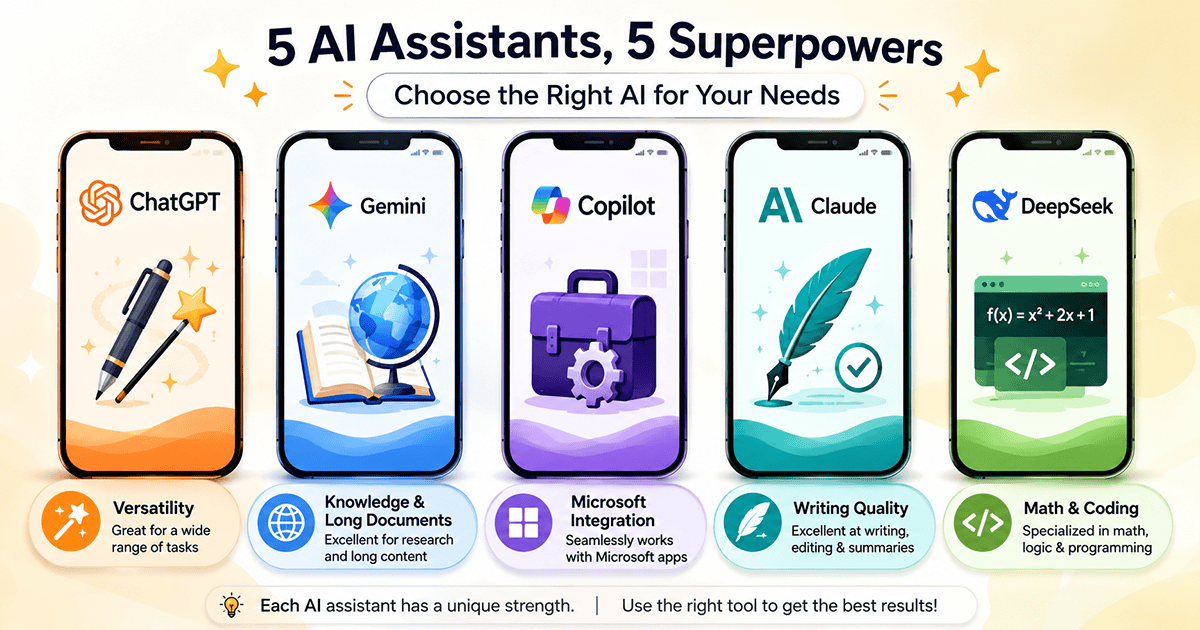
🤖 ChatGPT vs Gemini vs Copilot vs Claude vs DeepSeek: Which AI Tool Is Best for Smartphones? Complete Comparison & How to Choose
In 2026, AI assistant apps have evolved from experimental tools into daily essentials for millions. With so many options, however, the key question remains: what's the difference between ChatGPT, Gemini, Copilot, Claude, and DeepSeek? Which one is the best fit for you on mobile? In this comprehensive guide, we compare these five leading apps across strengths, weaknesses, features, and ecosystem integrations.
📊 1. Market Share: Who is Winning the AI App War?
Before diving into details, let’s look at the competitive landscape. The AI assistant market is more contested than ever, with the once-dominant ChatGPT seeing its share erode.
- ChatGPT still leads with a global market share of around 57%, though this is down from over 77% a year ago.
- Google Gemini has surged to second place with a ~25% share, driven by its deep integration with Android and Google services.
- Claude holds third place with ~6%, growing rapidly on the back of its writing and coding capabilities.
- DeepSeek sits in fourth with roughly 3.7%, having gained popularity as a free and open-source alternative.
- Microsoft Copilot is sixth with ~2%, benefiting from its integration with the Microsoft ecosystem.
🤖 2. ChatGPT – The Most Versatile All-Rounder
Developed by OpenAI, ChatGPT is the most well-known and widely used AI assistant. It excels at a broad range of tasks: creative writing, research, coding, and image generation via DALL-E, and even video generation with Sora.
⭐ Strengths:
- Versatility: Covers almost every user need, from writing and research to image generation and voice conversations.
- Wide Ecosystem: Offers integrations and plugins that connect to many third-party services.
- Mature Mobile App: The official app provides a seamless experience with support for voice and video.
- Cross-Session Memory: Remembers context across different chats, making conversations feel continuous.
⚠️ Weaknesses:
- Limited Free Tier: The free version provides daily usage caps that can be quickly exhausted.
- Cost: The Plus plan costs $20 per month, which can be pricey compared to some free alternatives.
- AI-Written Tone: Its writing style can sometimes sound generic or artificial.
- Smaller Context Window: At 128K tokens, its context window is smaller than Gemini's 1M token and Claude's 200K token windows.
✅ Best For: The general user who wants a single, all-purpose app for writing, research, images, and voice interactions.
🧠 3. Google Gemini – Ecosystem Integration Powerhouse
Developed by Google, Gemini is ChatGPT's strongest competitor, thanks to its deep integration with the Android ecosystem and Google services. On Pixel and select Samsung phones, it acts as the system assistant, able to read and act on screen content.
⭐ Strengths:
- Massive Context Window (1M tokens): Can process enormous documents, like a 1,500-page book or 30,000 lines of code, in one go.
- Native Google Integration: Reads directly from Gmail, Drive, and Docs without requiring file uploads.
- Multimodal Capabilities: Handles text, images, audio, and video in a unified way.
- Android System-Level Support: Functions as a smart assistant that can see your screen and take actions.
⚠️ Weaknesses:
- Daily Usage Limits: The free tier has caps on Gemini Pro requests.
- Privacy Concerns: Its deep integration with Google services raises data-handling concerns for some users.
- Price: The Pro plan is $19.99 per month, and the Ultra tier is $249.99/month for maximum capabilities.
✅ Best For: Users who live within the Google ecosystem, need to handle very long documents, or want a smart assistant integrated with their phone.
📝 4. Claude – The Master of Long-Form Writing and Analysis
Developed by Anthropic, Claude is the go-to choice for writers, analysts, and developers who need high-quality text and deep analysis. It was designed with "Constitutional AI" principles to be more helpful and ethical.
⭐ Strengths:
- Best-in-Class Writing Quality: Its prose is often cited as the most natural and human-sounding of all the major bots.
- Large Context Window (200K tokens): Can ingest about 500 pages of text in a single conversation.
- "Projects" Feature: Allows you to pin a set of documents and instructions to a chat, making it ideal for ongoing work.
- Artifacts: Renders code, diagrams, and short web apps in a side window while you chat.
⚠️ Weaknesses:
- No Image Generation: Claude is text-only and cannot generate visual content.
- Usage Limits: The free tier has daily message caps that can be reached after a long session.
- Limited Ecosystem Integration: Fewer integrations with other apps compared to Gemini or Copilot.
✅ Best For: Writers, legal analysts, researchers, and developers who need high-quality long-form text and document analysis.
💻 5. Microsoft Copilot – Free GPT-5 Access with Office Integration
Developed by Microsoft, Copilot leverages OpenAI's frontier models (including GPT-5) with a tight integration with Microsoft 365 (Word, Excel, Teams). Its standout feature is free access to GPT-5 with additional capabilities like image generation.
⭐ Strengths:
- Free GPT-5 Access: The free tier provides access to OpenAI's cutting-edge models without a subscription.
- Microsoft 365 Integration: It can read from and take action within Word, Excel, and Teams directly.
- Bing Search Integration: Provides answers grounded with cited web sources.
- Free Image Generation: No daily caps on image creation on the free plan.
⚠️ Weaknesses:
- Conservative Tone: Tends toward a formal, corporate style, even on casual prompts.
- Ecosystem Lock-in: Advanced features require a Microsoft 365 subscription.
- Mobile App Limitations: The mobile version is less feature-rich than the web version.
✅ Best For: Microsoft 365 users, anyone wanting free access to GPT-5, or users who need an AI integrated into their daily work apps.
🧮 6. DeepSeek – The Free, Open-Source Math & Coding Powerhouse
Developed by a Chinese AI lab, DeepSeek is a completely free and open-source model that has surprised the world with its performance, especially in math, coding, and logic. Its R1 model is highly competitive with paid frontier options.
⭐ Strengths:
- 100% Free: No paid tiers or daily limits; unlimited usage with the R1 reasoning model.
- Open-Source: Developers can self-host the model for complete privacy.
- Superior in Math and Coding: Excels in step-by-step problem-solving and technical tasks.
- Large Context Window (1M tokens): Can handle vast amounts of code or text.
⚠️ Weaknesses:
- Data Privacy Concerns: Servers are based in China, which is a deal-breaker for some enterprises and regulated industries.
- No Image Generation: It is text-only and cannot generate images or video.
- Clinical Writing Style: Less creative in literary writing compared to ChatGPT or Claude.
- Content Moderation: May refuse certain prompts subject to Chinese censorship policies.
✅ Best For: Developers, students, and researchers who need a powerful free assistant for coding and math, and who accept the data jurisdiction.
⚖️ 7. Quick Comparison Table
| Feature | ChatGPT | Gemini | Claude | Copilot | DeepSeek |
|---|---|---|---|---|---|
| Best For | General Use | Long Docs | Writing | Microsoft Users | Math/Coding |
| Writing Quality | Very Good | Good | Excellent ⭐ | Good | Good |
| Image Generation | ✅ DALL-E | ✅ Nano Banana | ❌ No | ✅ Yes | ❌ No |
| Context Window | 128K | 1M ⭐ | 200K | 128K | 1M ⭐ |
| Ecosystem Integration | Moderate | Google ⭐ | Limited | Microsoft ⭐ | Limited |
| Free Plan | Limited | Limited | Limited | Generous ⭐ | Unlimited ⭐ |
| Pro Price (Monthly) | $20 | $19.99 | $20 | $20 | Free ⭐ |
✅ 8. Summary: Which AI App Should You Choose for Your Phone?
- ChatGPT: The best general-purpose app for users who want a single solution covering text, image, and voice needs.
- Google Gemini: Ideal for Android users and those heavily invested in the Google ecosystem, especially for very long documents.
- Claude: The top choice for writers, analysts, and developers who prioritize high-quality text and deep analysis.
- Microsoft Copilot: Perfect for Microsoft 365 users and anyone wanting free access to GPT-5 and image generation.
- DeepSeek: The best free option for developers, students, and researchers working in math, coding, and logic.
Ultimately, no single app is perfect for everyone. The best approach is to try two or three that match your use case and see which one fits your workflow. With rapid development in the AI space, we can expect continued improvements and new features from all these platforms.